In my home lab, I use cdk8s which builds on AWS CDK to define my Kubernetes resources infrastructure as code. A lot of people use Helm which uses YAML programming, which I wrote about why I didn’t like, but cdk8s allows me to write it in TypeScript. I can write reusable classes to reduce duplication, like an Ingress construct that handles all the configuration I need. If you want to read more about the pros and cons of Cdk8s, read the post.
In this post, I’m going to show how I use an open-source system, Renovatebot, to keep my home lab up to date.
The challenge I faced was keeping the software up to date. I defined my versions in source code like this, but GitHub’s dependabot didn’t know how to parse this and identify what Docker images and versions were in use.
 1
 2
 3
 4
 5
 6
 7
 8
 9
10
11
12
| const VERSION = '2026.6';
class MyConstruct extends Construct {
constructor(scope: Construct, id: string) {
super(scope, id);
const deployment = new Deployment();
deployment.addContainer({
image: `ghcr.io/home-assistant/home-assistant:${VERSION}`
});
}
}
|
Moving to Forgejo + Renovate
Now, I’ve migrated to Forgejo, an open-source code forge site similar to GitHub. I then found Renovatebot, an open-source system for keeping dependencies up to date, just like Dependabot.
Installing Renovate
I created a new user and token in Forgejo just for Renovatebot so the PRs and issues were not associated with my own user. I also created a new Personal Access Token in GitHub.com that had no permissions. This token ensures that Renovate has higher scraping limits and doesn’t get throttled.
1
2
3
4
5
6
7
8
| apiVersion: v1
data:
RENOVATE_GITHUB_COM_TOKEN: [base64d token]
kind: Secret
metadata:
name: renovatebot-secrets
namespace: renovate
type: Opaque
|
Setting it up meant that I installed using the Helm chart
1
| helm install -f values.yaml oci://ghcr.io/renovatebot/charts/renovate
|
 1
 2
 3
 4
 5
 6
 7
 8
 9
10
11
12
13
14
15
16
17
18
19
20
21
22
23
24
25
26
27
28
29
30
31
| cronjob:
schedule: 0 12 * * *
timeZone: America/Los_Angeles
envFrom:
- secretRef:
name: renovatebot-secrets
renovate:
config: |
{
"platform": "forgejo",
"endpoint": "[ my forgejo url ]",
"token": "[ token ]",
"autodiscover": true,
"cachePrivatePackages": true,
"automergeStrategy": "fast-forward",
"packageRules": [
{
"allowedVersions": "v4",
"matchManagers": [
"github-actions"
],
"matchPackageNames": [
"https://data.forgejo.org/forgejo/upload-artifact",
"forgejo/upload-artifact"
]
},
]
}
persistence:
cache:
enabled: true
|
Note, I define a packageRule that pins the upload-artifact to v4. After this release, GitHub’s actions/upload-artifact made changes that are incompatible with Forgejo. This pins it for all repositories.
Then, I add my Renovate user as a collaborator to the repository. Next time Renovate runs, it starts working against this repository.
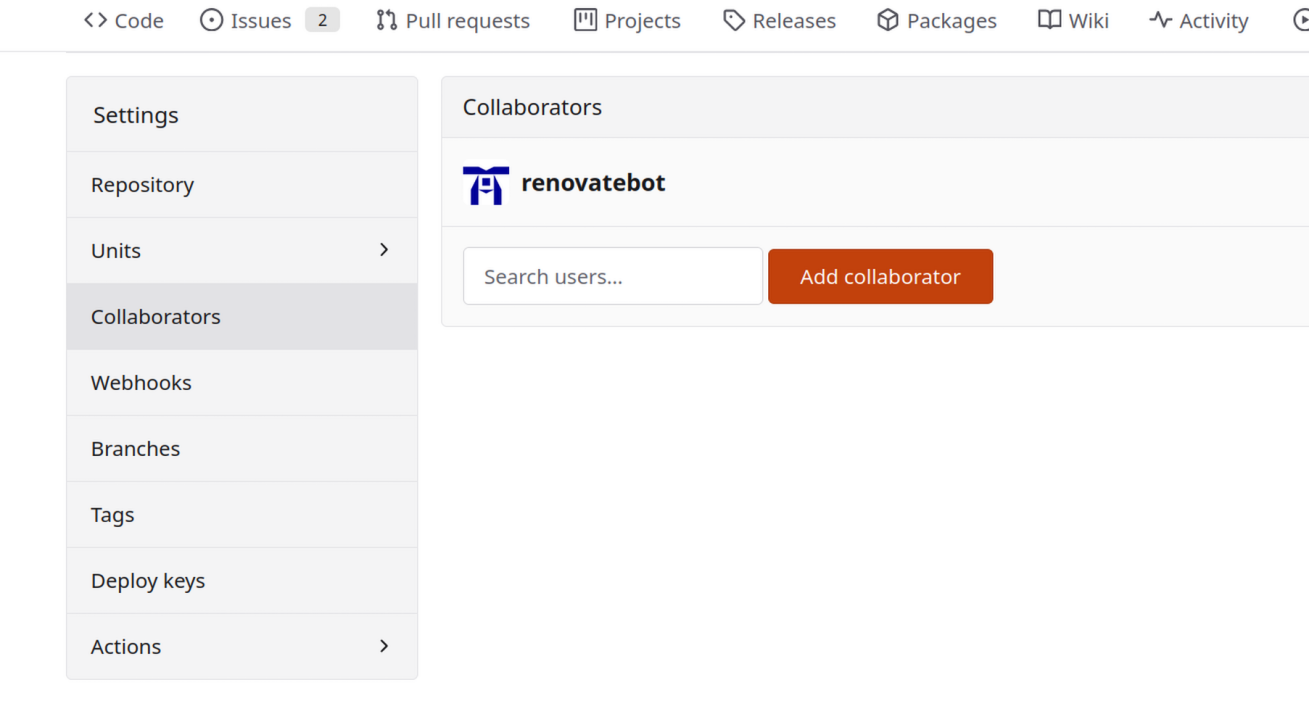
By default, Renovate was able to handle upgrading my NPM dependencies in package.json and my GitHub Actions, but not any of my services defined by Cdk8s because it was unable to understand the source files and identify versions.
Renovate supports defining a custom manager that helps Renovate identify dependencies in other files either as a series of RegEx or JSONata. JSONata is a query language able to query and transform JSON files.
Defining my container images in cdk8s
Looking at that, I was able to come up a strategy where all my images are defined in images.json.
 1
 2
 3
 4
 5
 6
 7
 8
 9
10
11
12
13
14
| {
"forgejo-runner": {
"image": "data.forgejo.org/forgejo/runner",
"version": "12.11.1"
},
"homeassistant": {
"image": "ghcr.io/home-assistant/home-assistant",
"version": "2026.5.4"
},
"immich": {
"image": "ghcr.io/immich-app/immich-server",
"version": "v2.7.5"
}
}
|
Then in my source, I parse the JSON file anytime I need to set a container’s image:
 1
 2
 3
 4
 5
 6
 7
 8
 9
10
11
12
13
14
15
| import { readFileSync } from 'fs';
import { join } from 'path';
export function getImageReference(name: string) {
const filePath = join(__dirname, 'images.json');
const json = JSON.parse(readFileSync(filePath, { encoding: 'utf-8', flag: 'r' }))[name];
return `${json.image}:${json.version}`;
}
const deployment = new Deployment(this, 'Deployment');
const container = this.deployment.addContainer({
name: 'home-assistant',
image: getImageReference("home-assistant")
});
|
Making Renovate aware
Then I define JSONata custom provider pattern in renovate.json:
 1
 2
 3
 4
 5
 6
 7
 8
 9
10
11
12
13
14
15
16
17
18
| {
"$schema": "https://docs.renovatebot.com/renovate-schema.json",
"customManagers": [
{
"customType": "jsonata",
"fileFormat": "json",
"managerFilePatterns": [
"images.json"
],
"matchStrings": [
"$each($, function($v, $k) {( {\"depName\": $v.image, \"currentValue\": $v.version, \"datasource\": \"docker\"})})"
]
}
],
"extends": [
"config:recommended"
]
}
|
Pull Requests
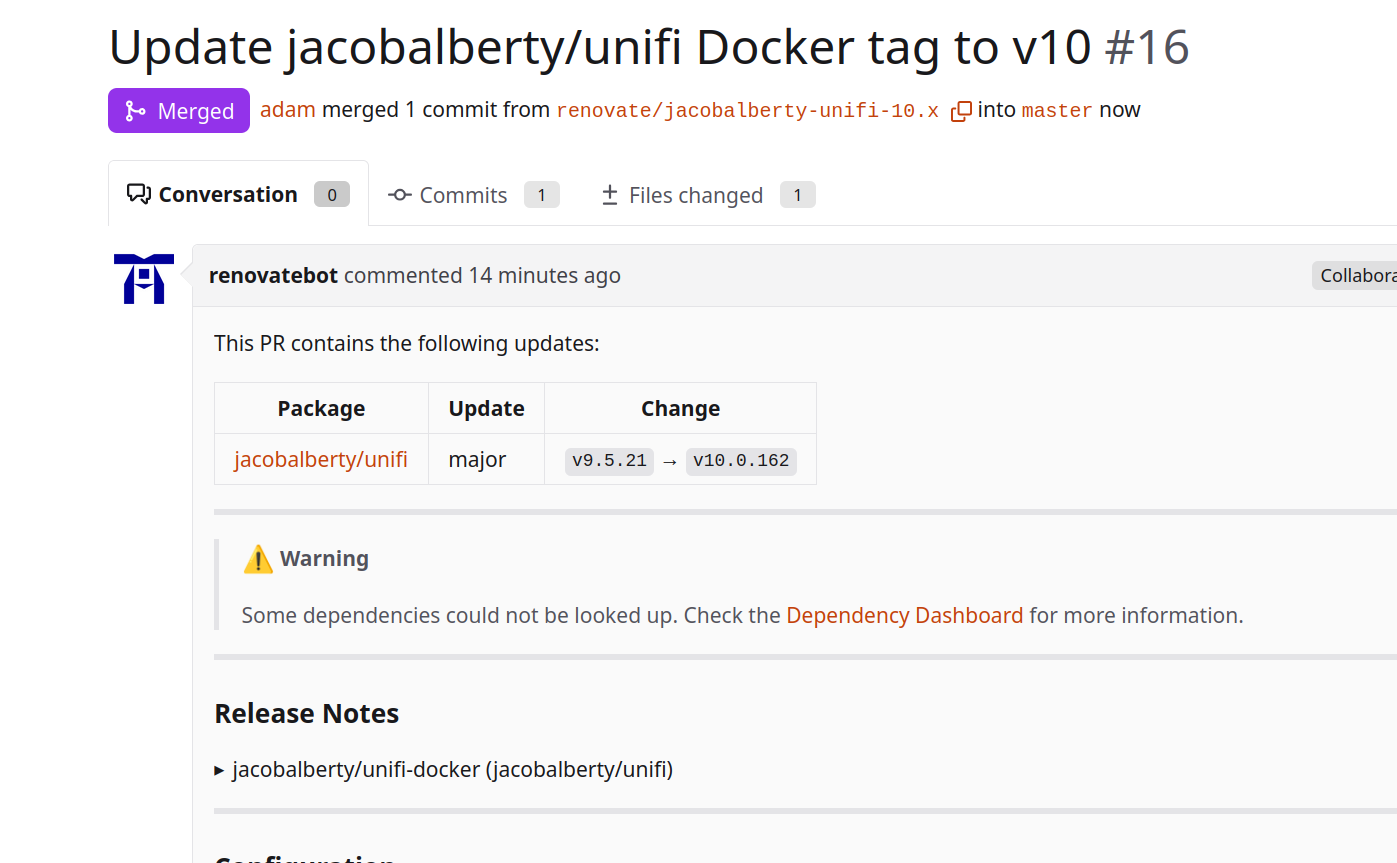
And then on the next Renovate run, I’m presented with a beautiful pull request offering to upgrade my software.
Deploying it into Kubernetes
Now that I have versions being managed, I need to be able to deploy it to my Kubernetes cluster. In my previous post, I showed how to enable OIDC to allow Forgejo to deploy to Kubernetes.
Setting up OIDC
The following CDK8s creates the RBAC resources required to deploy with write access only for the main branch, and read-only access to run helm-diff.
- Repo Main Branch: Read-Only to the Helm namespace secrets
- Repo Other branches: Read-Write to Helm namespace secrets, Read/Write to all deployable resources
 1
 2
 3
 4
 5
 6
 7
 8
 9
10
11
12
13
14
15
16
17
18
19
20
21
22
23
24
25
26
27
28
29
30
31
32
33
34
35
36
37
38
39
40
41
42
| import { ApiResource, ClusterRole, Group, User, Role } from "cdk8s-plus-34";
import { Construct } from "constructs";
export type ForgejoRBACProps = {
// Name of the repository in Forgejo
repositoryName: string;
// The name of the Git branch to have write access to deploy Helm
mainBranch: string;
// An empty Kubernetes namespace to use for the Helm chart.
// Don't deploy anything else to this for security
helmNamespace: string;
};
export class ForgejoRBAC extends Construct {
constructor(context: Construct, id: string, props: ForgejoRBACProps) {
super(context, id);
const oidcMainBranchUser = User.fromName(this, 'repo-user', `forgejo:repo:${props.repositoryName}:ref:refs/heads/${props.mainBranch}`);
// We need access to the Helm release secrets
const roRole = new Role(this, 'ReadOnlyRole', { metadata: { namespace: props.helmNamespace }});
roRole.allow(['get', 'list'], ApiResource.SECRETS);
roRole.bind(Group.fromName(this, 'repo-group', `forgejo:repo:${props.repositoryName}`));
const rwRole = new Role(this, 'ReadWriteRole', { metadata: { namespace: props.helmNamespace }});
rwRole.allow(['watch', 'create', 'delete'], ApiResource.SECRETS);
rwRole.bind(oidcMainBranchUser);
const rwFullRole = new ClusterRole(this, 'ClusterReadWriteRole');
// Defines what the Helm chart can actually deploy
rwFullRole.allowReadWrite(
ApiResource.DEPLOYMENTS,
ApiResource.INGRESSES,
ApiResource.STATEFUL_SETS,
ApiResource.DAEMON_SETS,
ApiResource.SERVICES,
ApiResource.CRON_JOBS,
// ...
);
rwFullRole.bind(oidcMainBranchUser);
}
}
|
Then I run npm run synth and deploy it using my own account that has admin privileges to setup the roles.
Forgejo Actions Workflow
The following is a basic Forgejo-compatible workflow that ensures the Cdk8s application compiles and authenticates with Kubernetes, but does nothing yet.
 1
 2
 3
 4
 5
 6
 7
 8
 9
10
11
12
13
14
15
16
17
18
19
20
21
22
23
24
25
26
27
28
29
30
31
32
33
| on:
push:
jobs:
validate:
enable-openid-connect: true
runs-on: k8s-deployer
steps:
- uses: actions/checkout@df4cb1c069e1874edd31b4311f1884172cec0e10 # v6
- id: synth
name: Synth cdk8s manifests
run: |-
set -exo pipefail
npm install
npm run build
- name: Setup kubectl
uses: https://github.com/azure/setup-kubectl@829323503d1be3d00ca8346e5391ca0b07a9ab0d # v5.1.0
with:
version: 'v1.34.0'
- name: Install helm
uses: https://github.com/Azure/setup-helm
- name: Authenticate with Kubernetes
run: |
set -euo pipefail
mkdir -p ~/.kube
echo "${{ vars.KUBERNETES_CONFIG_ADAMSNET }}" > ~/.kube/config
chmod 600 ~/.kube/config
export TOKEN=$(curl -sSL -X GET "$ACTIONS_ID_TOKEN_REQUEST_URL&audience=forgejo" \
-H "Authorization: Bearer $ACTIONS_ID_TOKEN_REQUEST_TOKEN" | jq -r '.value')
kubectl config set-credentials oidc --token=$TOKEN
|
Helm Diff
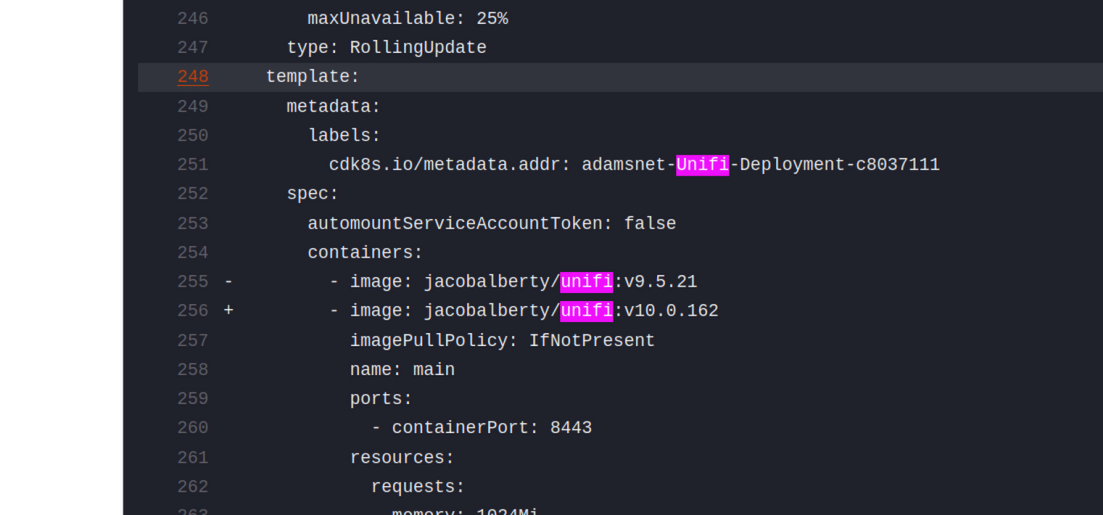
As part of my pull requests, I used the helm-diff tool to diff changes to the Helm release. With this, in every pull request, I can see the changes to the resource like this:
Now, adding the following steps to the above workflow generates the Helm diff automatically:
1
2
3
4
5
6
7
| - name: Install helm-diff
run: |
helm plugin install https://github.com/databus23/helm-diff --verify=false
- name: Run helm-diff
run: |
helm diff upgrade -n k8s-prod-deployer k8s-prod dist/
|
Deploying
To close the loop and have every push to main deploy, you can add the following step:
1
2
3
4
| - name: Run helm-diff
if: ${{ github.event_name == 'push' && github.ref_name == 'main' }}
run: |
[ -f dist/templates/prod.k8s.yaml ] && helm upgrade -n k8s-prod-deployer k8s-prod dist/
|
Conclusion
Using Cdk8s has its advantages and disadvantages (mostly lack of solid maintenance.) With Renovatebot, I can continue to use GitOps and keep my software up to date. Combined with tools like Helm Diff, I can simplify my infrastructure as code management.
Comments
To give feedback, send an email to adam [at] this website url.
Donate
If you've found these posts helpful and would like to support this work directly, your contribution would be appreciated and enable me to dedicate more time to creating future posts. Thank you for joining me!