In my previous post, I showed how to provision a Kubernetes node in NixOS maintaining compatibility with RKE1 (Rancher Kubernetes Engine v1), but switching to the Kubernetes nixpkg. In this post, I’m going to show how to take an Ubuntu worker and replace it with a NixOS based worker without rebuilding the cluster.
Replacing the OS using NixOS Anywhere
For the first node, I was using a hypervisor, ESXi, which made it easier to make changes. The other two nodes were bare-metal dedicated servers. I didn’t have the ability to upload an ISO file and already had an operating system running.
Enter nixos-anywhere. It enables you to replace an existing operating system with a NixOS install. It works by using a Linux feature called kexec where a kernel is uploaded, then the running kernel just gets replaced with a new kernel without rebooting or writing a boot loader to disk. Very cool technology.
I have hosts running Ubuntu Server and already acting as Kubernetes worker nodes. All I need to is recreate them while they’re running.
Preparing
Measure twice, cut once. First thing, I’m going to do is prepare the host for migration and build the NixOS configuration.
Initial Nix Structure
NixOS requires other configuration to setup, including configuring OpenSSH and user accounts. I’m going to assume that you already have that, however the NixOS anywhere guide contains some information. Instead, I’m going to focus specifically on the networking and storage configuration.
 1
 2
 3
 4
 5
 6
 7
 8
 9
10
11
12
13
14
15
16
17
18
19
20
21
22
23
24
25
26
27
28
29
30
31
32
33
34
35
| { config, lib, pkgs, disko, ... }:
{
imports = [ ];
boot.loader.systemd-boot.enable = true;
boot.loader.efi.canTouchEfiVariables = true;
boot.kernelModules = [ "kvm-intel" "ip_tables" ];
#users.users = { ... };
#services.openssh = { .. };
swapDevices = [ ];
nixpkgs.hostPlatform = lib.mkDefault "x86_64-linux";
networking.useDHCP = false;
systemd.network.enable = true;
systemd.network.networks."eno3" = {
matchConfig.Name = "eno3";
address = [
"144.217.181.222/32"
"2607:5300:203:bde::/64"
];
routes = [
{ Source = "144.217.181.222"; Destination = "144.217.181.0/24"; Scope = "link"; }
{ Source = "2607:5300:203:bde::"; Destination = "2607:5300:203:bde::/64"; Scope = "link"; }
# Routes toward public Internet
{ Gateway = "144.217.181.254"; GatewayOnLink = true; }
{ Gateway = "2607:5300:203:bff:ff:ff:ff:fd"; GatewayOnLink = true; }
];
linkConfig.RequiredForOnline = "routable";
};
networking.hostName = "srv6";
}
|
Identify any hostPath data
Since nixos-anywhere is going to blow away the entire hard drive and all the contents, I want to make sure I didn’t have any Kubernetes services with a hostPath mount. For any persistent storage, I now use Longhorn, a block storage provider that can duplicate and relocate storage between nodes.
The following command:
 1
 2
 3
 4
 5
 6
 7
 8
 9
10
| kubectl get pods --all-namespaces -o json \
--field-selector=spec.nodeName=srv7 \
| jq -r '
.items[] |
.metadata.name as $podname |
.spec.volumes[] |
select(.hostPath) |
"\(.hostPath.path) \($podname)"
' \
| sort -u
|
Gives me an output like this:
 1
 2
 3
 4
 5
 6
 7
 8
 9
10
11
12
13
14
15
16
17
| /etc/cni/net.d calico-node-xxl5z
/lib/modules calico-node-xxl5z
/opt/cni/bin calico-node-xxl5z
/proc calico-node-xxl5z
/run/xtables.lock calico-node-xxl5z
/sys/fs calico-node-xxl5z
/sys/fs/bpf calico-node-xxl5z
/usr/libexec/kubernetes/kubelet-plugins/volume/exec/nodeagent~uds calico-node-xxl5z
/var/cache/nginx-k8s ingress-nginx-controller-hbcnk
/var/lib/calico calico-node-xxl5z
/var/lib/kubelet csi-node-driver-8r556
/var/lib/kubelet/plugins/csi.tigera.io csi-node-driver-8r556
/var/lib/kubelet/plugins_registry csi-node-driver-8r556
/var/log/calico/cni calico-node-xxl5z
/var/run csi-node-driver-8r556
/var/run/calico calico-node-xxl5z
/var/run/nodeagent calico-node-xxl5z
|
Skimming through, I see only system configuration, caches, or other temporary data sets that don’t need to be saved since I already went through the list prior and moved everything into my storage provider.
If you find a folder that contains data you’d like to keep, make sure to copy it off the server because it will be lost forever.
Disk Partitioning
We need to explicitly define all the partitions so NixOS can recreate them. The first time I attempted this, my machine got stuck because the device ids weren’t the same as before. I like to use the /dev/disk/by-id/* reference because this is based on the device’s serial number and won’t change with a new OS.
Say you’ve got a computer with two different drives in it. Normally, you’d use /dev/sda, and /dev/sdb. Using ls -la /dev/disk/by-id will show the drive name to serial number mapping:
1
2
3
4
5
6
| ls -la /dev/disk/by-id
lrwxrwxrwx 1 root root 9 Feb 20 21:26 ata-HGST_HUS724020ALA640_AB5312P6H0U5LN -> ../../sdb
lrwxrwxrwx 1 root root 10 Feb 20 21:26 ata-HGST_HUS724020ALA640_AB5312P6H0U5LN-part1 -> ../../sdb1
lrwxrwxrwx 1 root root 10 Feb 20 21:26 ata-HGST_HUS724020ALA640_PN5312G5I0X1AS-part1 -> ../../sda1
lrwxrwxrwx 1 root root 10 Feb 20 21:26 ata-HGST_HUS724020ALA640_PN5312G5I0X1AS-part2 -> ../../sda2
|
With that, I can construct a basic disko configuration:
 1
 2
 3
 4
 5
 6
 7
 8
 9
10
11
12
13
14
15
16
17
18
19
20
21
22
23
24
25
26
27
28
29
30
31
32
33
34
35
36
37
| { config, lib, pkgs, disko, modulesPath, ... }:
{
disko.devices = {
disk = {
disk1 = {
type = "disk";
device = "/dev/disk/by-id/ata-HGST_HUS724020ALA640_PN5312G5I0X1AS";
content = {
type = "gpt";
partitions = {
ESP = {
type = "EF00";
size = "500M";
content = {
type = "filesystem";
format = "vfat";
mountpoint = "/boot";
mountOptions = [ "umask=0077" ];
};
};
// TODO
};
};
};
disk2 = {
type = "disk";
device = "/dev/disk/by-id/ata-HGST_HUS724020ALA640_AB5312P6H0U5LN";
content = {
type = "gpt";
partitions = {
// TODO
};
};
};
};
};
}
|
There are no partitions defined because I’m going to use RAID.
RAID
In my servers, I use a simple RAID 0 configuration to mirror two drives. I didn’t know how RAID on Linux worked initially so I learned it was done via a system called mdadm, which disko can define. Note the mdadm partition added under each disk.
 1
 2
 3
 4
 5
 6
 7
 8
 9
10
11
12
13
14
15
16
17
18
19
20
21
22
23
24
25
26
27
28
29
30
31
32
33
34
35
36
37
38
39
40
41
42
43
44
45
46
47
48
49
50
51
52
53
54
55
56
57
58
59
60
61
62
63
64
65
66
67
68
69
70
71
72
73
74
75
76
77
78
| { config, lib, pkgs, disko, modulesPath, ... }:
{
disko.devices = {
disk = {
disk1 = {
type = "disk";
device = "/dev/disk/by-id/ata-HGST_HUS724020ALA640_PN5312G5I0X1AS";
content = {
type = "gpt";
partitions = {
// ... ESP
mdadm = {
size = "100%";
content = {
type = "mdraid";
name = "raid1";
};
};
};
};
};
disk2 = {
type = "disk";
device = "/dev/disk/by-id/ata-HGST_HUS724020ALA640_AB5312P6H0U5LN";
content = {
type = "gpt";
partitions = {
mdadm = {
size = "100%";
content = {
type = "mdraid";
name = "raid1";
};
};
};
};
};
};
mdadm = {
raid1 = {
type = "mdadm";
level = 1;
content = {
type = "gpt";
partitions = {
primary = {
size = "100%";
content = {
type = "btrfs";
mountpoint = "/";
extraArgs = [ "-f" ];
mountOptions = [ "noatime" ];
subvolumes = {
"/" = {
mountOptions = [ "noatime" ];
mountpoint = "/";
};
"/home" = {
mountOptions = [ "compress=zstd" "noatime" ];
mountpoint = "/home";
};
"/persist" = {
mountOptions = [ "compress=zstd" "noatime" ];
mountpoint = "/home";
};
"/nix" = {
mountOptions = [ "noatime" ];
mountpoint = "/nix";
};
};
};
};
};
};
};
};
};
}
|
I opted for BTRFS instead of ext4, because it had some interesting features like snapshotting and sub-volumes (which will come into play in the future for Impermanence).
Testing
Before anything, make sure it compiles. Because if it compiles, it must work!
Deploy it
- Evict all Longhorn volumes
- Cordon and drain the Kubernetes node
- Download node state. The following were the two folders
/etc/kubernetes/ssl/var/lib/etcd
nix run nixpkgs#nixos-anywhere --ssh-host srv6.technowizardry.net- Pray that it works
After some time, it host was ready. I copied the SSL certificates and ETCD snapshot back onto the host and started kubernetes on the node.
Fixing Pod Logs
Pods were getting scheduled, but any time I tried to view pod logs in Rancher or in Kubelet, I wouldn’t be able to see them. Rancher gave no useful error information:
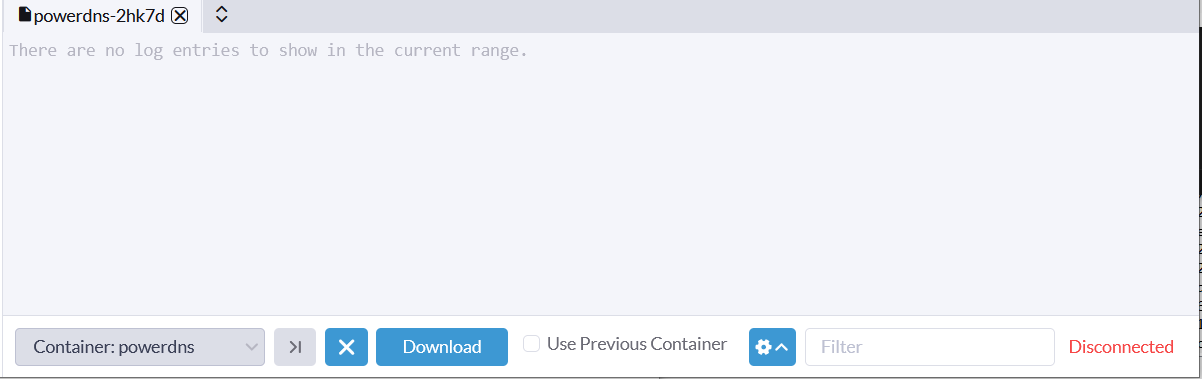
However, Kubelet gave a clue in it’s error message:
1
2
3
4
| kubectl --context=local -n technowizardry logs powerdns-2hk7d
Error from server: Get "https://srv7:10250/containerLogs/technowizardry/powerdns-2hk7d/powerdns":
tls: failed to verify certificate:
x509: certificate is not valid for any names, but wanted to match srv7
|
These nodes are using the same certificates as before with RKE1, so the only options why it’s failing now is either change in Kubernetes or I set incorrect SSL parameters on the kube-apiserver or kubelet. I scrutinized the parameters and didn’t see anything wrong, then dove in the Kubernetes documentation and found these migration considerations suggesting there was a change.
My RKE1 generated certificates say CN=system:node, when it should say CN=system:node:srv5. I need to generate a new certificate to replace the one RKE1 generated. Nix’s Kubernetes package does expose a mechanism to generate certificates using services.cluster.kubernetes.pki.enable = true, however I opted to do it myself for now because I was using my own CA and didn’t look carefully to see if it was possible to override it.
 1
 2
 3
 4
 5
 6
 7
 8
 9
10
11
12
13
14
15
16
17
18
19
20
21
22
23
24
25
26
27
28
29
30
31
32
33
34
35
36
37
38
39
40
41
42
43
44
45
46
47
48
49
50
51
52
53
54
55
56
57
58
59
60
61
62
63
64
65
66
67
68
69
70
71
72
73
74
75
| { config, lib, pkgs, ... }:
let
clusterIpv4 = {
"srv5" = "51.81.64.31";
"srv7" = "149.56.22.10";
};
hostIpv4 = clusterIpv4."${config.networking.hostName}";
hostIpv6 = {
"srv5" = "2604:2dc0:100:1be8:beef:beef:beef:beef";
"srv7" = "2607:5300:61:70a::";
}."${config.networking.hostName}";
csrCA = pkgs.writeText "kube-pki-ca.json" (
builtins.toJSON {
signing = {
default = {
expiry = "87600h";
};
profiles = {
kubernetes = {
usages = [
"signing"
"key encipherment"
"client auth"
"server auth"
];
expiry = "87600h"; # 10 years
};
};
};
}
);
csrCfssl = pkgs.writeText "kube-pki-cfssl-csr.json" (
builtins.toJSON {
key = {
algo = "rsa";
size = 2048;
};
CN = "system:node:${config.networking.hostName}";
names = [{
O = "system:nodes";
}];
hosts = [
config.networking.hostName
hostIpv4
hostIpv6
];
}
);
in
{
systemd.services.kubelet = {
preStart = lib.mkForce ''
set -e
mkdir -p /opt/cni/bin/
${pkgs.containerd}/bin/ctr -n k8s.io image import --label io.cri-containerd.pinned=pinned ${infraContainer}
if [ ! -f "${sslBasePath}kube-node2.pem" ]; then
${pkgs.cfssl}/bin/cfssl gencert -ca "${sslBasePath}kube-ca.pem" -ca-key "${sslBasePath}kube-ca-key.pem" -profile kubernetes -config ${csrCA} ${csrCfssl} | \
${pkgs.cfssl}/bin/cfssljson -bare ${sslBasePath}/kube-node2
fi
'';
};
services.kubernetes = {
kubelet = {
kubeconfig = {
keyFile = "${sslBasePath}kube-node2-key.pem";
certFile = "${sslBasePath}kube-node2.pem";
};
tlsCertFile = "${sslBasePath}kube-node2.pem";
};
};
}
|
Another re-deploy and it worked.
Conclusion
This post didn’t document every failure I encountered. I actually failed several times when running nixos-anywhere where the host wouldn’t boot, but it does capture the more interesting and relevant challenges I faced. This operation does wipe the entire drive so I was cautious not to lose any data.
NixOS as a whole has some advantages and disadvantages (that I’ll talk about in a future post). It’s great to be able to define my host configuration once in Git, then every day they update their configuration and go.